You're in a hide, a rare warbler is hopping just twenty feet away, and your massive 600mm lens is back in the car because the hike was too much. Sounds familiar? This is where digiscoping bird photography changes the game. It's not a compromise; for many situations, it's a superior strategy. By coupling your smartphone or a small camera with a spotting scope, you unlock a world of super-telephoto reach without the back-breaking weight and eye-watering cost. I've been using this method for a decade, and it's saved my back and my bank account more times than I can count. Let's cut through the hype and get into the real, actionable details of making it work.
What's Inside This Guide
What Exactly Is Digiscoping (And What It Isn't)
At its simplest, digiscoping is using a digital camera (almost always a smartphone now) to take photos or video through the eyepiece of a spotting scope. Think of the scope as a giant, high-quality magnifying glass, and your phone's camera is positioned to look through it. The result? You effectively turn your scope into a 1000mm, 2000mm, or even longer lens.
But here's the critical nuance most beginners miss: Digiscoping is not just holding your phone up to the eyepiece. That method, called "afocal" photography, is wildly inconsistent. True, reliable digiscoping requires a dedicated adapter that physically and optically couples your phone to the scope. This eliminates light leaks, ensures perfect alignment, and is the difference between a blurry mess and a sharp, frame-filling shot of that distant osprey.
The magic lies in the combination. A good spotting scope might have a 20-60x zoom eyepiece. Your smartphone camera has its own fixed focal length (roughly equivalent to a 26-28mm lens on a full-frame camera). When you combine them, you multiply the magnification. A 30x scope eyepiece with your phone can yield an effective focal length well over 1500mm. That's territory reserved for lenses costing more than a used car.
Core Gear Breakdown: Scope, Phone, and the Crucial Link
Getting the right gear combo is 80% of the battle. A mismatch here leads directly to frustration.
The Spotting Scope: Optical Foundation
Your scope is the most important piece. Not all scopes are created equal for digiscoping. The two main types are straight and angled. Angled scopes are generally better for digiscoping because they put less strain on your neck when looking up at birds in trees and are easier to balance on a tripod with the added phone weight.
Objective lens size matters. An 80mm or 85mm scope gathers more light than a 60mm model, giving you a brighter image, which is crucial in dawn/dusk light or under forest canopy. Brands like Swarovski, Kowa, and Vortex are benchmarks. I use a Vortex Razor HD 85mm angled scope. Is it as perfect as the top-tier European models? No. But for 60% of the price, it delivers 95% of the performance, which is a trade-off I'm happy with for a tool that gets banged around in the field.
The eyepiece is critical. You want one with a long eye relief (the distance your eye can be from the eyepiece and still see the full image). More eye relief makes it easier for your phone's camera to "see" the entire circular image from the scope without dark, fuzzy edges (vignetting). Zoom eyepieces (e.g., 20-60x) offer flexibility, but fixed-wide-angle eyepieces (e.g., 30x wide) often provide a brighter, sharper view with less distortion at the edges—a digiscoping advantage.
The Smartphone: Your Digital Film
Virtually any modern smartphone can work. Newer models with multiple lenses and advanced computational photography (like Apple's ProRAW or Google's Night Sight) have a clear edge. The telephoto lens on phones like the iPhone Pro models or Samsung Galaxy Ultras can sometimes be used for a secondary magnification boost, but most adapters use the main, wide-angle camera because it's more reliable for capturing the full scope image.
The real trick is manual control. You need an app that lets you lock focus, set exposure (shutter speed and ISO), and shoot in RAW format. Apple users should get ProCamera. Android users have great options like Manual Camera or Open Camera. The stock camera app on "auto" will constantly hunt for focus and adjust exposure erratically, ruining shots.
The Digiscoping Adapter: The Non-Negotiable Link
This is the piece everyone tries to skip, and it's their biggest mistake. A good adapter is a rigid clamp that holds your phone rock-steady over the scope's eyepiece. It has adjustable arms or a case to fit different phone models. The best ones, like those from Phone Skope or Novagrade, are custom-machined for specific phone and eyepiece combinations, ensuring a perfect, light-tight seal.
| Adapter Type | How It Works | Best For | Biggest Drawback |
|---|---|---|---|
| Universal Clamp-on (e.g., Carson HookUpz) | Adjustable arms clamp onto the phone and grip the eyepiece barrel. | Beginners, people who use multiple scopes or phones. | Can be finicky to align perfectly; more prone to vibration. |
| Case-Specific (e.g., Phone Skope) | You get a custom plastic case for your phone model that snaps onto an adapter ring sized for your exact eyepiece. | Serious bird photographers who want the fastest, most repeatable setup. | You need a new case/adapter if you change your phone or eyepiece. |
| Magnetic System (e.g., Magview) | A metal plate sticks to your phone/case, and a magnetic ring attaches to the eyepiece for instant click-on. | Speed and convenience. Great for quickly switching between viewing and photographing. | Strength varies; a heavy phone on a big scope might not be secure enough on rough terrain. |
I started with a universal clamp. After a gust of wind knocked my phone into the mud, I switched to a Phone Skope case system. The security and speed are worth the investment.
How to Master Field Technique: From Setup to Shot
Gear is useless without the right technique. Here's the step-by-step process I follow every time.
Step 1: The Rock-Solid Foundation. This is non-negotiable. Use a sturdy tripod and a fluid video head, not a photo ball head. A fluid head allows for silky-smooth panning to follow a moving bird, which is impossible with a stiff ball head. Manfrotto and Sirui make excellent options. Set the tripod low for stability. Extend the thick leg sections first, the thin ones last.
Step 2: Scope First, Phone Second. Mount your scope on the tripod. Find your bird and get it perfectly in focus using your eye. Use the scope's focus wheel to get the sharpest possible view. Only then, attach your phone in its adapter. If you try to focus using the phone's tiny screen while everything is wobbly, you'll fail.
Step 3: Alignment and App Settings. Slide the adapter onto the eyepiece. Open your manual camera app. You should see a bright, circular image. Tap to focus on the bird, then lock the focus in the app. Set your ISO as low as possible (100-400) to reduce noise. Adjust the shutter speed until the exposure looks correct. A faster shutter (1/500s or higher) freezes bird movement and scope vibration. If the light is low, you'll have to raise the ISO—accept some grain over a blurry shot.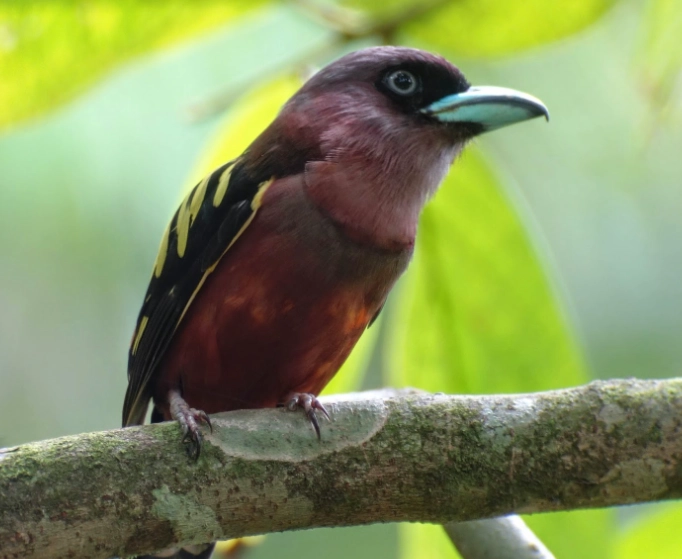
Step 4: The Shooting Discipline. Breathe out. Gently press the shutter. Review the shot immediately at full zoom on your phone screen to check critical sharpness. Is the eye of the bird sharp? If not, micro-adjust the scope's focus wheel (not the phone's focus) and try again. This back-and-forth between viewing and micro-adjusting is the core skill.
Advanced Tips and Tricks the Manuals Don't Tell You
After you've nailed the basics, these insights will elevate your images.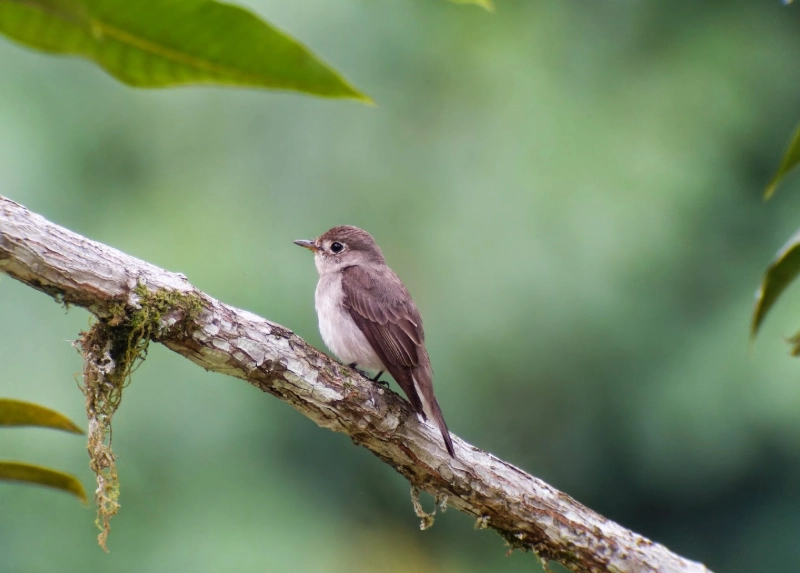
Fight the Heat Haze. Your biggest enemy on sunny days isn't your gear—it's atmospheric distortion. Heat rising from the ground creates a shimmering mirage effect that destroys detail at long distances. Shoot in the early morning when the air is cool and still. Get as low to the ground as possible, or shoot from a blind over water, where the temperature is more stable.
Embrace Post-Processing. A digiscoped RAW file will look flat. It needs help. Use Lightroom Mobile or Snapseed. The key adjustments are:
- Dehaze: This tool is magic for cutting through atmospheric haze.
- Texture & Clarity: Apply subtly to feather details.
- Sharpening: Use masking so sharpening only affects edges (the bird), not the noisy background.
- Crop Aggressively: You have massive resolution. Don't be afraid to crop in to create a powerful composition.
The "Sweet Spot" Magnification. Zooming your scope eyepiece to its maximum (e.g., 60x) seems logical, but optical quality often degrades at the extremes. The image gets darker and shakier. I find the sharpest, brightest results usually come from the mid-range of the zoom, around 30-45x. It's a better balance of detail, light, and stability.
I learned this the hard way trying to photograph a Northern Harrier at 60x. The image was so dim and shaky I missed the shot. Dialing back to 40x gave me a brighter, steadier view and I got the photo.
Solving Common Digiscoping Problems (FAQ)
Digiscoping bird photography democratizes super-telephoto imaging. It asks for patience and technique over a big credit card limit. There will be frustrating days where the light is wrong or the birds are too jumpy. But the day you come home with a pin-sharp frame of a bird so distant it was just a speck to your naked eye, you'll understand why it's worth the effort. Start with a solid tripod and a basic adapter. Master the fundamentals of focus and stability. The rest—the rare sightings, the perfect light, the stunning portfolio shots—will follow.
Reader Comments