You're out birding, you see something incredible—a rare warbler, an owl perfectly camouflaged, a duck with dazzling colors. Your binoculars give you a great view, but your phone camera just can't reach. That's where digiscoping comes in. It's the art of attaching a smartphone to a spotting scope, turning your scope into a super-telephoto lens. For beginners, the best digiscoping setup isn't about buying the most expensive gear. It's about finding a balance that works, is affordable, and gets you taking great photos without a steep learning curve. After years of helping folks get started, I can tell you the secret: start simple, master the basics, and upgrade only when you know exactly what you need.
Your Quick Start Guide
What Exactly is Digiscoping & Why Start Now?
Think of digiscoping as a bridge. On one side, you have dedicated wildlife photography gear—big DSLR cameras and lenses that cost thousands and weigh a ton. On the other side, you have the convenience of your smartphone, but with a huge limitation: zoom. A spotting scope sits in the middle. It's a high-magnification optical tool birders already use. By connecting your phone to it, you leverage the scope's power and the phone's processing smarts.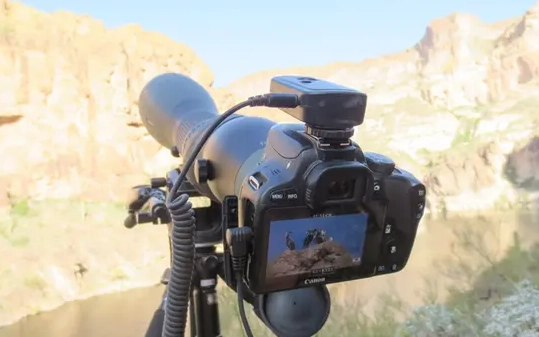
Why is now the perfect time for beginners? Smartphone cameras are better than ever. Computational photography—the software magic that makes night mode and portrait mode work—does wonders even through a scope. Adapters are cheaper and more universal. A decent beginner setup can cost less than a single mid-range camera lens.
The biggest benefit isn't just photos. It's engagement. When you digiscope, you look closer. You notice feather details, subtle behaviors. It makes you a better observer. I started with a shaky setup that drove me nuts, but the first time I got a sharp shot of a Pileated Woodpecker, I was hooked. You don't need to be a tech whiz or a pro photographer. You just need patience and the right information.
Choosing Your First Digiscoping Gear
Your core setup has three parts: the spotting scope, the phone adapter, and the support system. Getting this trio right is 90% of the battle. Let's break down your options, from budget-conscious to more serious.
| Gear Tier | Estimated Cost | Best For | Key Consideration |
|---|---|---|---|
| Budget Starter | $200 - $400 | Testing the waters, casual use | Optical quality will be the main compromise. Look for the best glass you can afford in this range. |
| Value Performer | $400 - $800 | Serious beginners, frequent birders | This is the sweet spot. You get significantly better, brighter images that will keep you motivated. |
| Enthusiast Ready | $800+ | Those committed to digiscoping, low-light conditions | Premium optics offer edge-to-edge sharpness and excel in dawn/dusk light. |
The Spotting Scope: Angled vs. Straight & Magnification
Most beginners agonize over angled versus straight. For pure digiscoping, I strongly recommend an angled scope. Here's the non-consensus bit: everyone says it's better for looking up at birds. That's true, but for digiscoping, the bigger advantage is ergonomics. With an angled scope, your phone sits lower, which dramatically lowers the center of gravity. This makes your whole setup more stable on the tripod—a huge deal when you're fighting tiny vibrations that blur photos.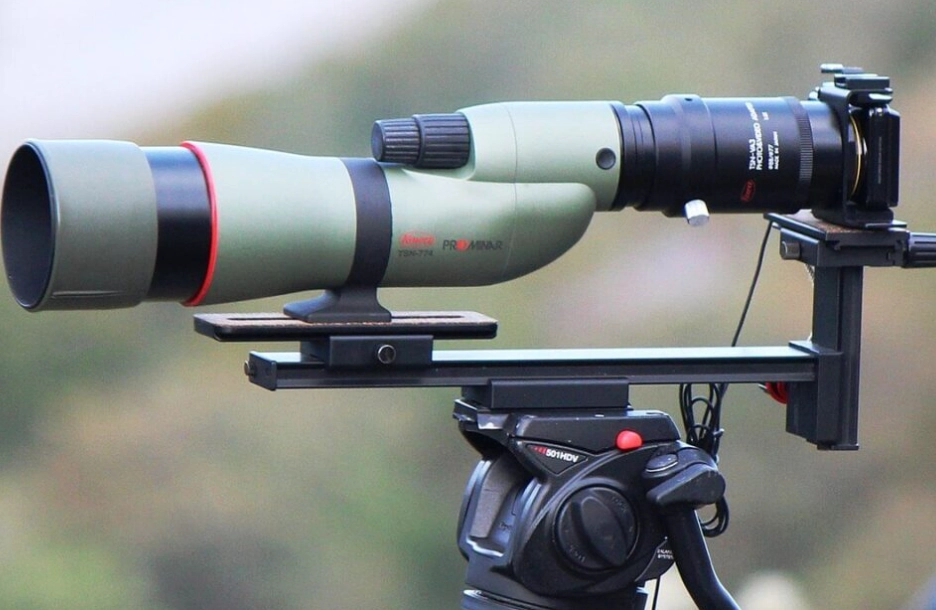
Magnification: A scope with a zoom eyepiece (e.g., 15-45x or 20-60x) is versatile. Start at the lowest magnification. The view is brighter, the field of view wider, and it's easier to find your subject. A mistake I see? Beginners max out the zoom immediately. Higher zoom magnifies every shake and makes the image darker. Work your way up only when you're locked on.
Specific models? In the value tier, the Celestron Hummingbird or Vortex Razor HD (the older non-APO model can be found on sale) are fantastic starters. They're sharp enough to produce satisfying images.
The Phone Adapter: Universal vs. Custom
This is the physical clamp that holds your phone securely over the scope's eyepiece. Avoid the ultra-cheap plastic ones on generic marketplaces—they flex and slip. A solid metal universal adapter from brands like Phone Skope or Novagrade is worth every penny. They have adjustable arms to fit almost any phone and any eyepiece.
The "custom" route means buying an adapter machined specifically for your exact phone model and your exact scope eyepiece. It's a perfect fit, but you're locked into that combination. For a true beginner, a good universal adapter is more flexible and forgiving as you learn.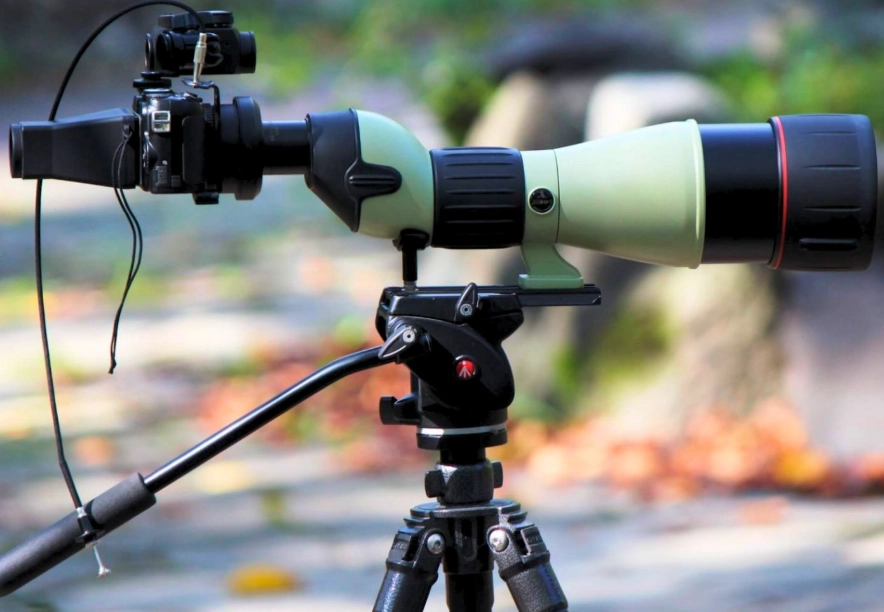
The Support System: The Unsexy Hero
This is the most overlooked part. A wobbly tripoid will ruin your experience. You don't need a $500 carbon fiber tripod, but the $30 photo-video combo from a big-box store won't cut it. Look for a tripod rated to hold at least 1.5 to 2 times the weight of your scope and phone. A fluid video head is ideal—it allows smooth panning to track birds—but a decent ball head can work if you're careful.
My personal rule: invest in your tripod and head as much as, if not more than, your first scope. A sharp optic on a shaky platform is useless. I learned this after a frustrating morning trying to photograph shorebirds with a flimsy setup; every gust of wind was a disaster.
Step-by-Step: Setting Up and Shooting
Let's walk through the process from box to bird. Assume you have all your gear.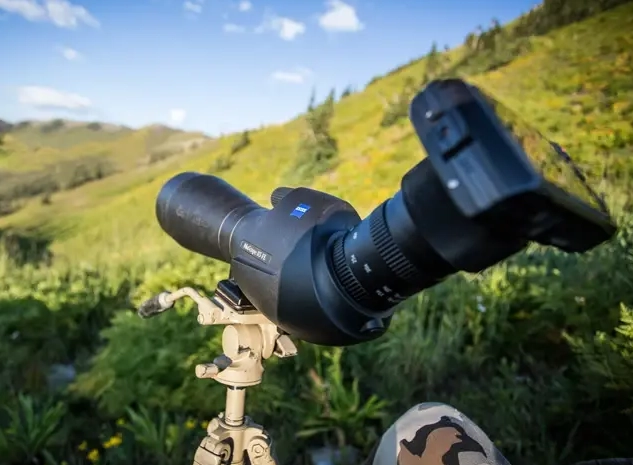
Step 1: Assemble and Balance. Mount your scope on the tripod. Before you even attach your phone, loosen the tripod head and slide the scope back and forth on the mounting plate until it sits evenly. It shouldn't tip forward or backward when you let go. This balancing act prevents strain on the head and makes movement smoother.
Step 2: Attach the Adapter and Phone. Center the adapter's ring over the scope's eyepiece and tighten it. Now, place your phone in the clamp. Here's a critical tip: use your phone's main camera lens. Most phones have multiple lenses (wide, ultra-wide, telephoto). The main sensor is usually the best. Manually open your camera app and ensure it's using the standard "1x" lens. The adapter should position this lens directly over the center of the eyepiece. You might need to adjust the phone side-to-side or up-and-down in the clamp.
Step 3: The Alignment Dance. Look at your phone screen. You should see a bright circle (the scope's view). If you see black edges, your phone lens isn't perfectly aligned. Gently adjust the phone in the clamp until the circle is centered and fills as much of the screen as possible. This is the fiddly part. Take your time.
Step 4: Focus with the Scope, Not the Phone. Find a distant object. On your phone screen, tap to focus. Now, ignore your phone. Use the scope's focus wheel to get the image sharp on your phone's screen. Your phone's autofocus is trying to focus on the eyepiece glass; the scope's focus wheel is focusing on the actual subject. This is the key mental shift.
Step 5: Shooting Settings. Use your phone's native camera app. Turn off flash. If you have a "Pro" or manual mode, lock the ISO low (100-200) and adjust the shutter speed. If not, don't worry—just tap the screen to set exposure. For video, lock the exposure and focus by holding your finger down on the screen. A little underexposure is better than a blown-out, white sky.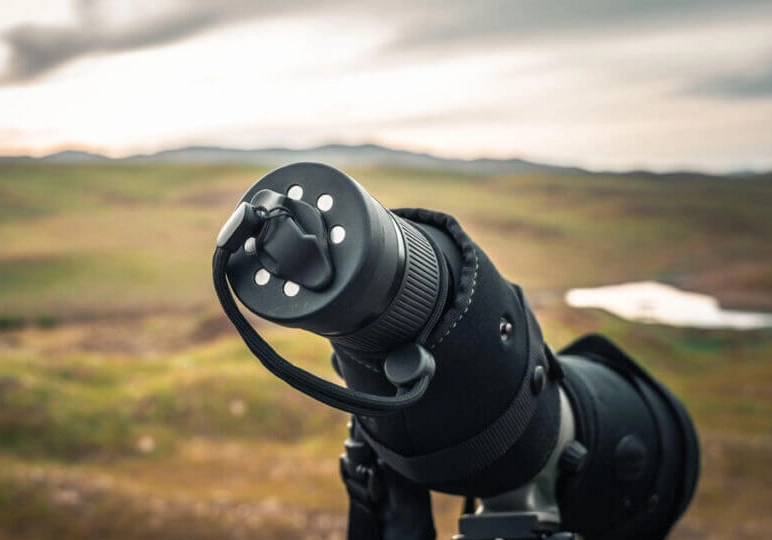
Beyond the Basics: Real-World Tips
Okay, you're set up. Now what? Go to a local pond or park. Waterfowl and perched birds are your best first subjects. They move less.
I remember my first successful digiscoping session at a local wetland. I spent an hour on a cooperative Great Blue Heron. The first fifty shots were blurry or poorly framed. Then I stopped rushing. I let the heron get comfortable, focused carefully, and took a burst of shots as it preened. One came out sharp, showing every feather detail. That's the moment it clicks.
Light is everything. Shoot with the sun behind you. Overcast days are actually digiscoping gold—the light is soft and even, with no harsh shadows.
Use your body. Touch the shutter button gently, or use your phone's volume buttons or headphones as a shutter release to minimize shake. Lean into the tripod, hold your breath as you press the shutter.
Scenario-Based Settings
Perched Bird in Good Light: Scope zoom at 20-30x. Phone on photo mode. Tap to focus on the bird's eye. Use burst mode.
Ducks on Water (Overcast): Scope zoom at 25-40x. Slightly increase exposure compensation (+0.3) to brighten the scene. Focus on the water line near the birds.
Landscape/Vista Shot: Scope at minimum zoom (15-20x). This gives you a wider, postcard-style shot through the scope.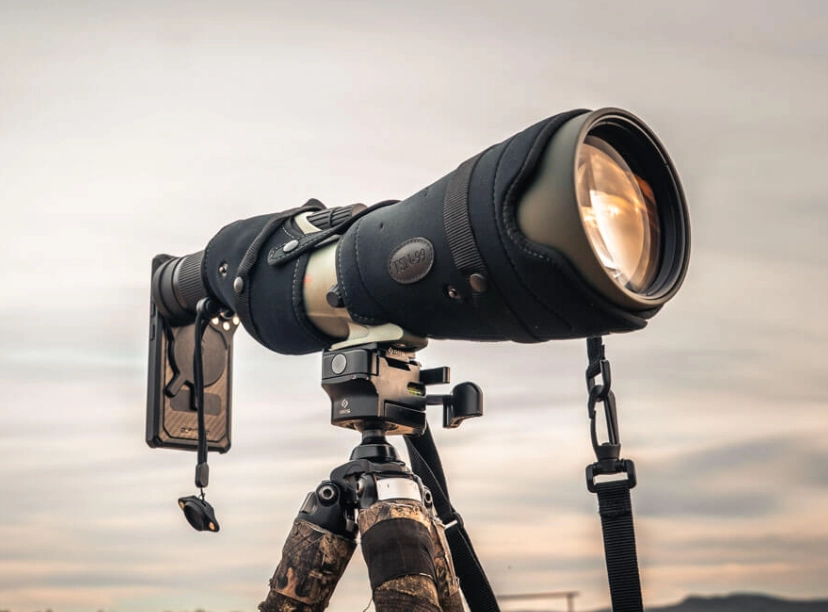
Common Beginner Mistakes (And How to Dodge Them)
I've made these, and I've seen every newbie make them too.
Mistake 1: Ignoring the tripod. We covered this. It's foundational.
Mistake 2: Using digital zoom on your phone. Never, ever pinch-to-zoom on your phone screen once it's on the scope. You're just cropping digitally and destroying quality. All your zoom should come from the scope's zoom eyepiece.
Mistake 3: Chasing high magnification. That 60x setting is tempting. It's also where image quality falls apart due to atmospheric haze and shake. 95% of my keepers are between 20x and 40x.
Mistake 4: Forgetting to clean the eyepiece. A tiny smudge on the eyepiece or your phone lens becomes a giant blur in your photo. Keep a microfiber cloth handy.
Mistake 5: Expecting perfection immediately. Digiscoping has a learning curve. Your first hundred shots might be junk. That's normal. Practice in your backyard on a stationary target like a garden ornament or a distant tree knot.
Your Digiscoping Questions Answered
Can I use any spotting scope for digiscoping, or do I need a special one?
Most modern spotting scopes with a standard eyepiece diameter (like 1.25 inches or specific brand mounts) will work with a universal adapter. The real difference is optical quality. A scope with fully multi-coated lenses and good light transmission will give you a brighter, sharper image on your phone. Avoid very old or very cheap scopes where the image might be dim and fuzzy at the edges—that fuzziness will be captured by your phone.
My images are always blurry. Is it my scope or my technique?
It's almost always technique, specifically vibration. Rule out the easy stuff first. Is your tripod on solid ground (not a wooden boardwalk)? Are all leg and head locks tightened? Are you using a delay timer or gentle shutter press? Is the scope focused using its wheel, not the phone's tap? Try shooting in perfectly still conditions first. If it's still blurry, check if your adapter is tight and your phone is secure. A truly defective scope is rare.
What's the biggest limitation of smartphone digiscoping compared to a DSLR?
Speed and low-light performance. A DSLR with a big lens can shoot 10 frames per second, capturing the split-second wing flap. A phone might lag. In low light (dawn, dusk, deep woods), phone sensors struggle with noise, while a DSLR sensor handles it better. The phone's strength is convenience, computational tricks (like HDR), and having the photo instantly ready to share. For static or slow-moving subjects in decent light, a phone on a good scope can get remarkably close to DSLR results for a fraction of the weight and cost.
Are there any good apps specifically for digiscoping?
While the native camera app is fine, apps like ProCam (iOS) or ProShot (Android) give you manual control over shutter speed and ISO, which is crucial for freezing motion or managing exposure. Some digiscopers also use Digiscoping Video Logger apps that can record GPS and notes alongside your video. Start simple with your native app, then explore these if you want more control.
How do I share my digiscoped photos ethically for bird conservation?
Great question. First, avoid sharing precise location ("geotagging") for sensitive species, especially owls, nesting birds, or rare finds. This can prevent disturbance. Use broad locations like "Central Park, NYC" or "Lake County, Illinois." Consider uploading your sightings to citizen science platforms like eBird or iNaturalist. Your photos become valuable data for researchers. Always prioritize the bird's welfare over getting the shot—don't approach too closely or use playback calls excessively to attract them.
The path to great digiscoping starts with managing expectations and mastering stability. Don't get bogged down in gear reviews. Pick a solid beginner setup from the recommendations here, head outside, and practice. Focus on the experience of seeing nature in incredible detail. The photos will follow. Remember, every expert digiscover was once a beginner fumbling with an adapter, wondering why everything was blurry. Stick with it, and you'll unlock a whole new way to connect with the wild world.
Reader Comments